Greenville Water backflow report filing
Psid produces a filled PDF and copyable values. Sign in to Greenville Water’s portal and check its current filing instructions before you submit; Psid does not submit for you.
Maintained by Psid. Contact support about this guide.
Steps
Open Queue in the rail. Every completed test with no filing record yet is here, grouped by utility.
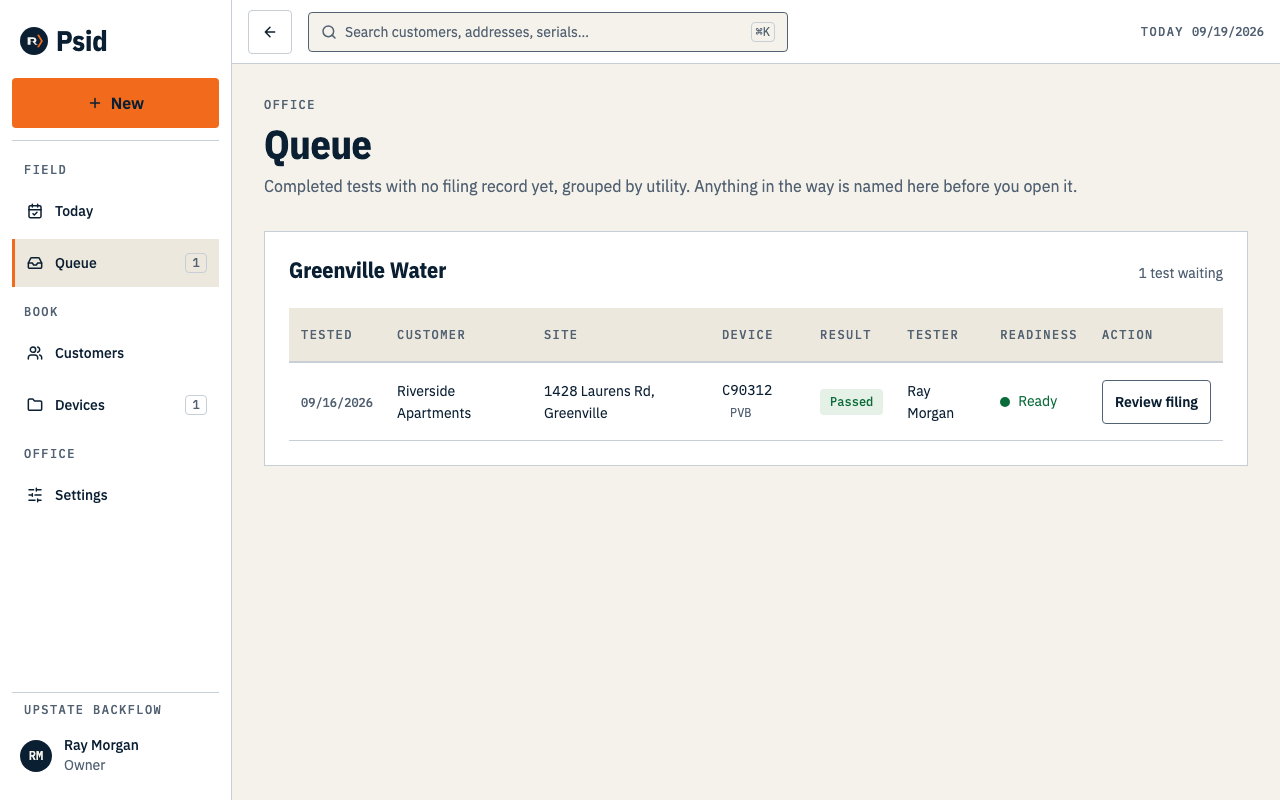
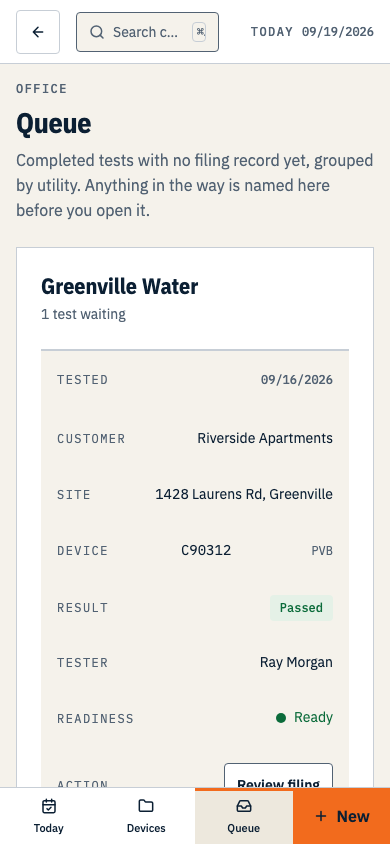
The readiness chip is checked before you drive anywhere: an expired certification blocks filing here, not at the truck. Press Review filing on a row.
That creates a frozen filing packet with the details currently on the form. A later edit to the customer’s name cannot change the report you prepared; you still need to submit it yourself.
Check the form in the preview or follow Review the HTML report, then press Download PDF or Print packet.
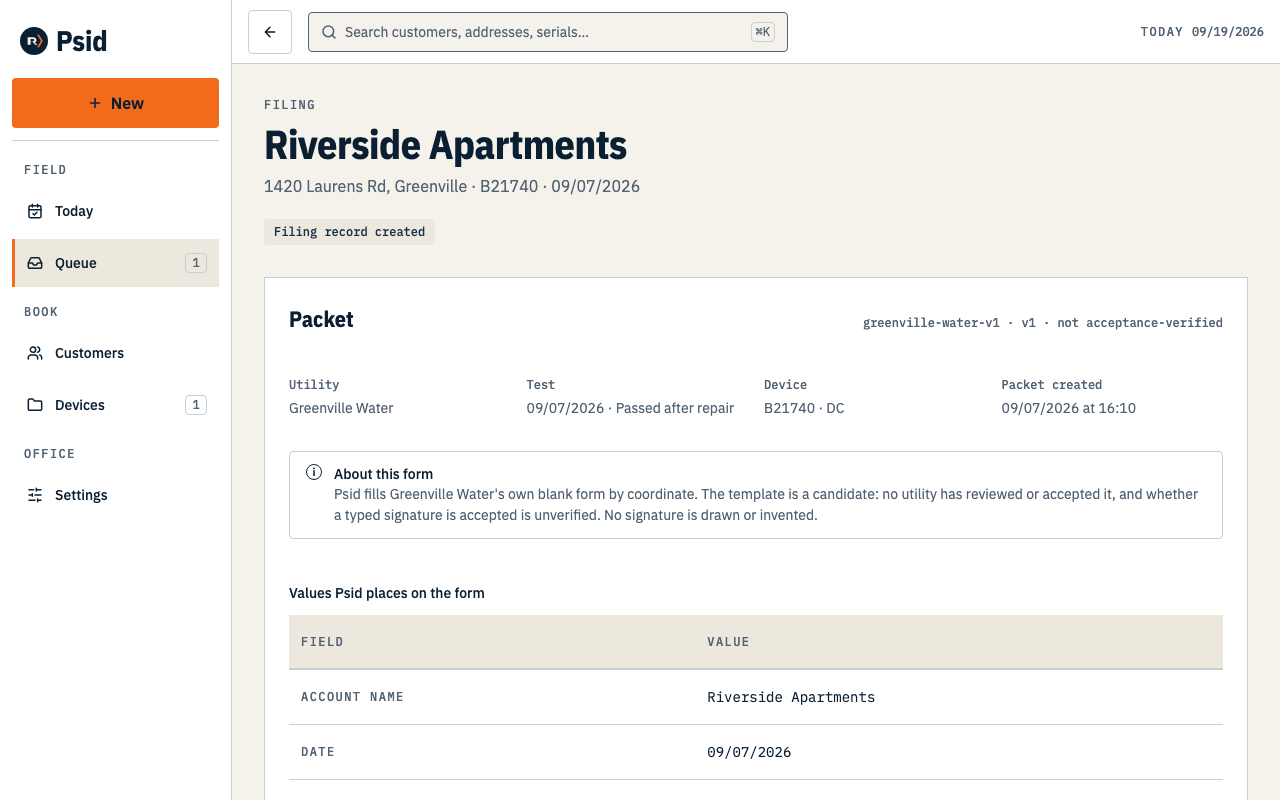
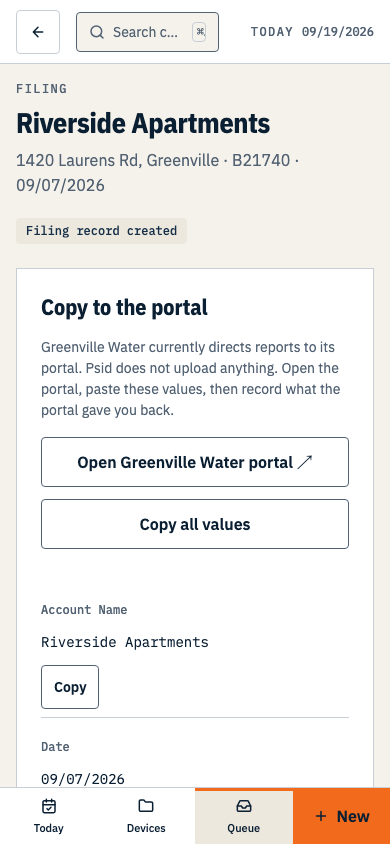
The HTML report helps you review the packet. Copy buttons are available if the portal requires manual entry; check its current fields after signing in. Press Open Greenville Water portal, which opens their site in a new tab.
Greenville Water directs reports to backflow.greenvillewater.com. Sign in with your own portal account and follow the current filing instructions. Psid does not log in for you or hold your portal credentials.
Submit through the method the portal currently allows. If it accepts the PDF, use the downloaded file; if it requires manual entry, use the copy buttons for matching fields. Do not assume either method is available until you see it in your account.
What Psid does not do here
- It does not submit to the portal for you, and it has no account there.
- It does not email or text the report to the utility, the customer or anyone else. No in-app report sending is enabled.
- It does not file in bulk. The queue has no checkboxes, because one confirmation number belongs to one report.
A filing record means Psid froze what was on the form. It does not prove you submitted it or that the utility received or accepted it. Record a submission only after you actually make one.