Complete the test and get the form
Completing saves the test. Supported Greenville Water, Spartanburg Water and Easley Combined Utilities tests can then produce the utility’s filled PDF; producing it is not filing it.
Maintained by Psid. Contact support about this guide.
Steps
On the remarks screen, check the What will be recorded table.
It is the verdict row by row, with the criteria beside each one, before anything is frozen.
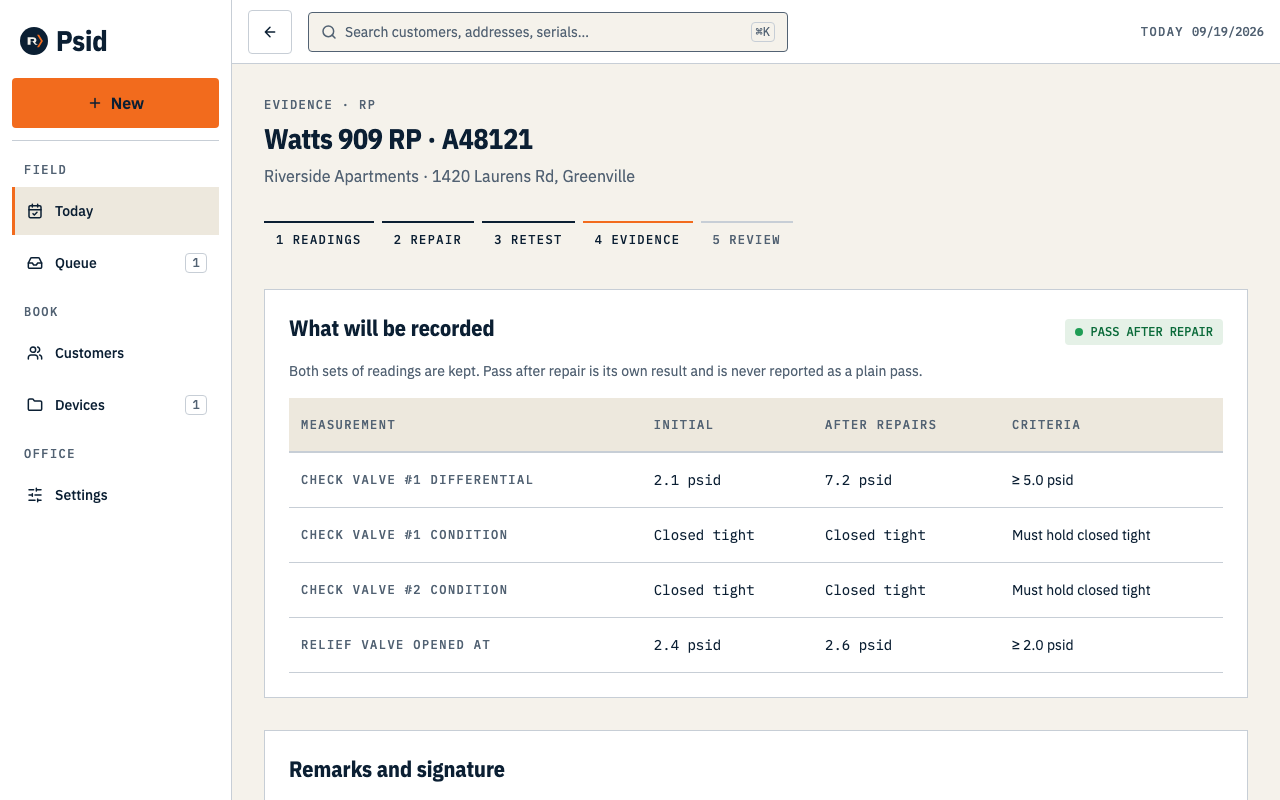
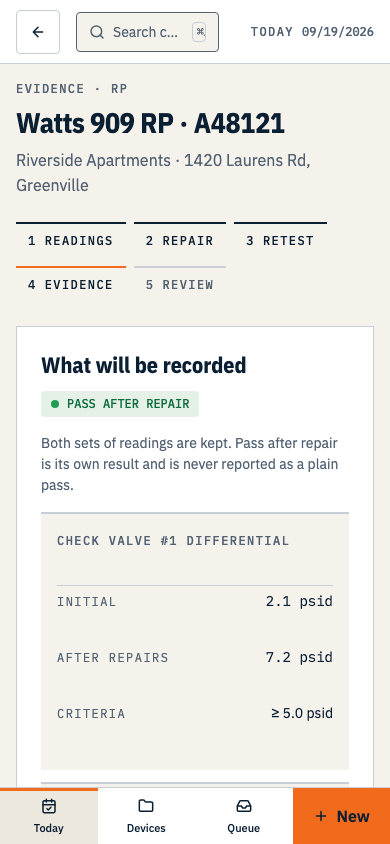
The last screen before the record becomes permanent — and the last chance to change a number. Add Remarks if there is anything to say. They print in the Comments lines on the Greenville form.
Check the typed signature. It comes from your profile.
Psid will not record a tester signature you did not give it. If the line is empty, Complete test stays disabled until you set one in Settings → Profile. Spartanburg Water’s tester and owner signature lines and Easley Combined Utilities’ tester signature line still need completion outside Psid.
Tick the line that certifies the readings are correct as of the test date.
It is required, and it is deliberately the last thing you do. Psid records that you said it, with the date you said it about.
Press Complete test.
The readings, the repairs, the result and the tester are now immutable. The device's next-due date is set in the same write, so it can never disagree with its own last test.
On the completed record, press Download PDF.
The form and download appear for Greenville Water RP, DC, PVB and SVB tests and Spartanburg Water or Easley Combined Utilities RP, DC and PVB tests. Before filing, the PDF is a live preview that reflects corrections to related site and device details. Tests without a matching template remain saved without a report PDF.
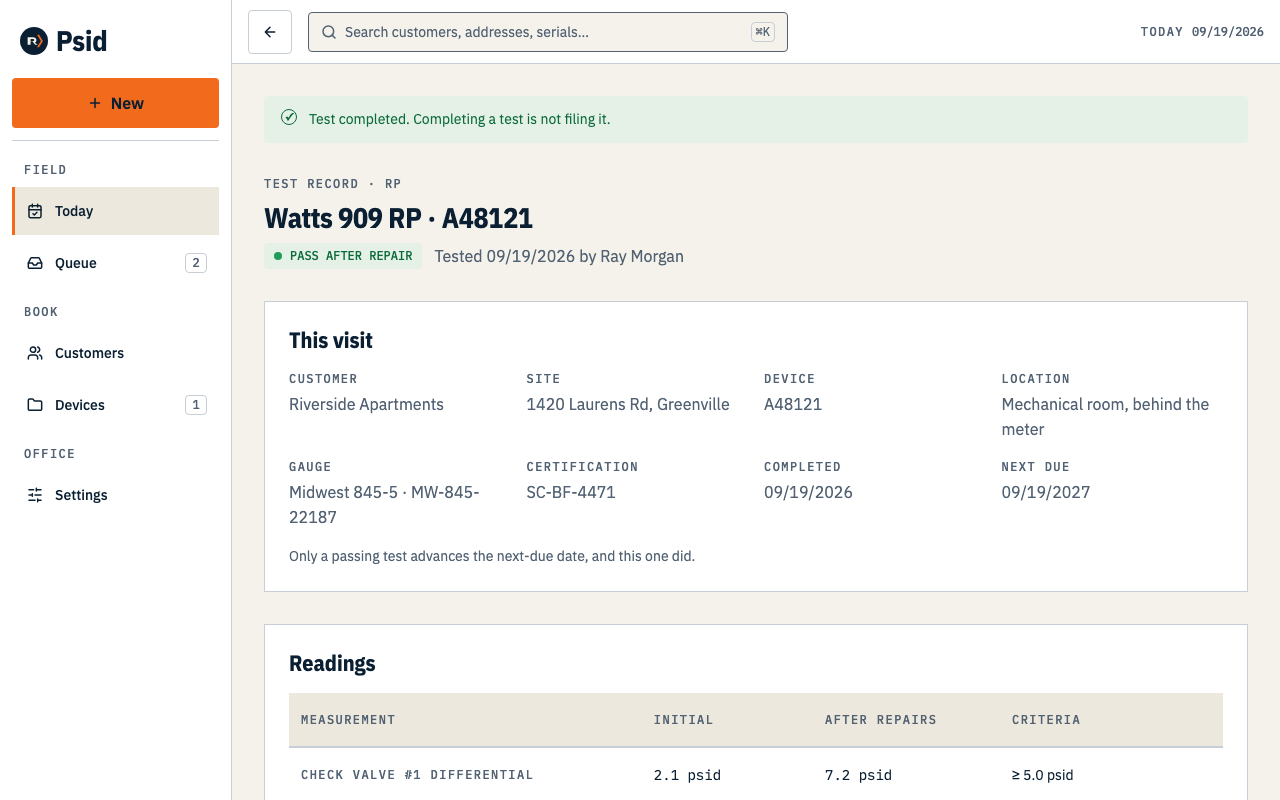
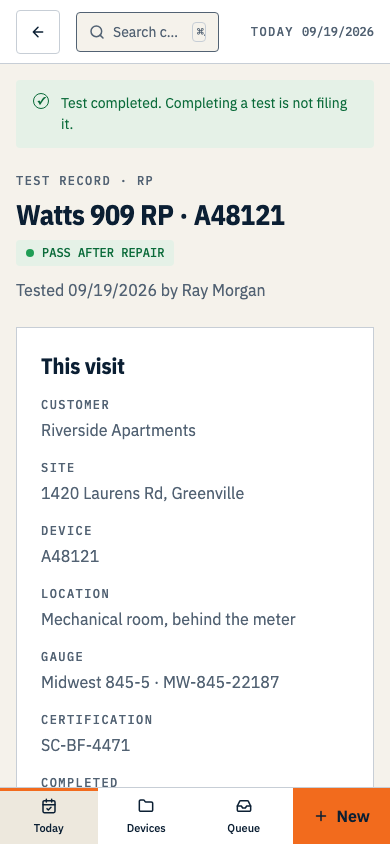
Before filing, the form is rendered from the current record. A filing freezes its PDF.
What the PDF is
- The supported utility’s own report, filled by placing mapped values at measured coordinates on its blank form.
- Before a filing exists, the download is a live preview that reflects corrections to related site and device details. Once a filing is created, Psid freezes the packet so both PDF links return the same document.
- For Greenville Water, Review the HTML report opens a reading-order transcription of its printed wording and all 58 mapped field entries. For Spartanburg Water and Easley Combined Utilities, it opens a readable list of mapped values and marks blank boxes; check the PDF for the full printed form.
- The reading order of Psid’s overlaid PDF has not been verified for screen readers. The HTML report is a review and accessibility aid, not a form you can file in place of the utility PDF. Contact hello@psid.app if you need help accessing the report before filing.
Downloading or printing the report is not filing it. Submit it through the utility’s current process. Record a Greenville portal submission in Psid; keep Spartanburg and Easley delivery proof separately.
Each published template was checked against its printed form. No utility has reviewed or accepted Psid’s output.